


BrightWay Credit Card Mobile
4.66.82K Reviews
App Specs
- Version
- 5.10.0
- Updated On
- License
- Free
- Downloads
- 500,000+
- Developer
- OneMain Financial
- Categories
- Finance
- Platform
- Android
Screenshots
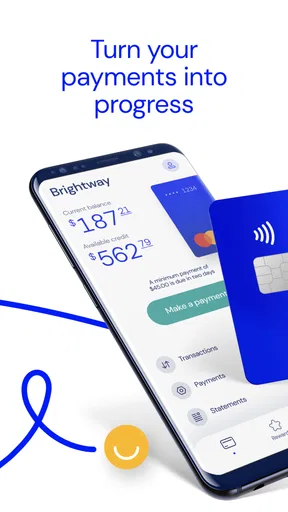
 Analysis by AppCompare
BrightWay Credit Card Mobile is the kind of finance app I would judge less by flashy extras and more by how calmly it handles ordinary money tasks. After spending time with it, I found its main value in bringing card spending, payments, and rewards into one mobile workspace instead of making me jump between a browser, paper statements, and separate reminders. It is a free app from OneMain Financial, and its focus is the BrightWay Credit Card rather than general-purpose budgeting.
That narrow focus is important. If you want a full household budget, investment tracking, bank aggregation, or detailed expense categories across several accounts, this is not trying to replace those tools. If your main concern is keeping up with a BrightWay account while you are away from a computer, the app feels much more sensible. I would recommend it to someone who wants a direct view of card activity and a straightforward way to stay on top of payments, while I would point a more demanding budgeter toward a broader financial app.
How I use it for the everyday card routine
My baseline workflow with a credit-card app is simple: open it before making a large purchase, check recent activity after spending, review the amount due when a statement arrives, and confirm that a payment has gone through. BrightWay Credit Card Mobile is built around that rhythm. Its store summary highlights spending, payments, and rewards, and those are the areas I would return to most often rather than browsing through the app without a purpose.
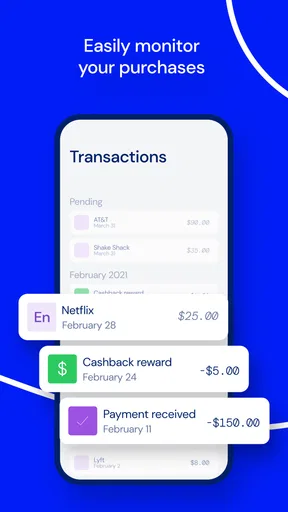
The first useful habit is checking recent transactions soon after using the card. This is not only about spotting fraud. It also helps separate a purchase I remember from one I need to investigate, and it gives me a more current picture than waiting for a monthly statement. For a shared household card, I would make this a quick evening check: review the newest entries, note anything unfamiliar, and avoid treating the available balance as permission to spend more.
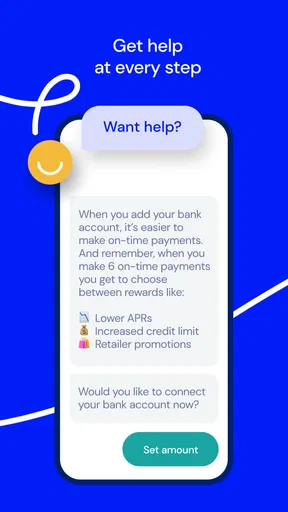
For payments, I prefer a repeatable routine over relying on memory. I would open the payment area, review the amount and timing carefully, then keep the confirmation or record available until the transaction is reflected in the account. The app is useful here because it puts the card relationship and payment task together. That does not remove the need to understand the bill, but it reduces the friction of finding the right account when a deadline is approaching.
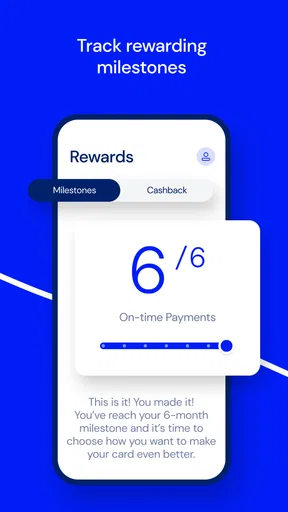
Rewards deserve a separate look. I would not assume that a rewards display tells the whole story of how to use them; instead, I would treat it as a place to monitor what is available and then read the on-screen terms before acting. This is one of the small differences between casually opening an app and using it well. Rewards can encourage extra spending if I focus on the benefit and forget the balance, so I would always judge them against the cost of carrying debt.
The app is also useful in a realistic travel or shopping scenario. Imagine I am standing at a checkout and cannot remember whether a previous purchase has already pushed my balance higher than expected. I can check recent activity before deciding whether to use the card again. Later, I can review the transaction from my phone rather than waiting until I am home. That short loop—check, spend deliberately, review—makes the app more valuable than a simple payment shortcut.
Worth Reading Before You Choose

EA SPORTS FC Mobile 26 Is a Bigger Football Game, but It Takes Time

Flipboard Shows What News Apps Must Do Beyond the Feed

Switching to Android Auto Means Rethinking Your Driving Routine

Google Calendar Makes a Crowded Week Easier to Manage

Ludo King Makes the Most of the Minutes Between Plans

Baby Panda World Brings Quick Play to Modern Phones, but Its Game Library Feels Busy
What I would check immediately after installing
The app is available at no charge, and it is rated for Everyone, which makes the basic entry point approachable. It requires Android 6.0 or later, so compatibility is worth checking before spending time troubleshooting installation. The current version is 5.9.0, and the product has been available since August 16, 2021. Those details do not tell me whether the experience will suit every phone, but they do give a practical starting point for deciding whether the app fits an older Android device.
After signing in, I would first confirm that I am looking at the correct BrightWay account and that the visible account information makes sense. This is a better first test than immediately exploring rewards. If the balance, recent activity, or payment information looks unexpected, I would pause and resolve that issue before building the app into my routine.
I would also check how the app presents notifications on my phone. I do not want every minor update to interrupt me, but I do want useful reminders to remain noticeable. The right balance depends on how I manage money: someone who frequently forgets due dates may prefer stronger reminders, while someone who already uses calendar alerts may want fewer duplicate prompts. I would treat notifications as support, not as the only safeguard.
Another sensible check is the security of the phone itself. A finance app is only as private as the device and account habits around it. I would use a screen lock, avoid signing in on a shared device, and review whether the app is still open when I lend my phone to someone. These are not special BrightWay features; they are practical boundaries that matter more than a polished interface.
Settings and account habits that make a difference
Experienced use starts with settings, but I would avoid changing options just to feel productive. I would look for notification controls, sign-in preferences, and any available account-management choices, then keep only what supports a clear routine. A notification that arrives at the right moment can prevent a missed payment review; a pile of low-value alerts can train me to ignore all of them.
I would pair the app with one external habit: a calendar reminder for checking the statement or payment schedule. The app gives me access to the account, but a separate reminder helps me remember to open it. That combination is stronger than expecting one tool to solve attention, timing, and decision-making at once. I would also set a recurring personal check for rewards so I do not inspect them randomly and mistake a promotional-looking balance for money that should be spent immediately.
When a phone is replaced or reset, I would not assume the transition is complete just because the app installs successfully. I would verify the login, account visibility, and notification behavior before deleting the old setup. This is a small but important workflow detail: access to a finance account should be tested when there is still time to fix a problem, not for the first time on the day a payment needs attention.
I would also keep the app updated through the normal app-store process rather than ignoring available updates indefinitely. New versions can change navigation or fix issues, and a familiar routine may need a quick recheck afterward. The goal is not to chase every release; it is to notice when a payment, activity, or rewards workflow no longer appears where I expect it.
Faster patterns for repeat users
The fastest way to use BrightWay Credit Card Mobile is to give each visit a single purpose. When I open it, I decide whether I am checking activity, preparing a payment, or reviewing rewards. That prevents the common mistake of opening a finance app, scanning a balance, and closing it without answering the question that brought me there.
For spending control, I would use a two-check pattern. Before a planned large purchase, I check the current account picture. After the purchase, I check again once the transaction appears. The first check protects against an overly optimistic assumption about available room; the second creates a personal record of what changed. It is especially useful for subscriptions, travel bookings, and household purchases that can be easy to forget later.
For payments, I would prepare earlier than the deadline and review every confirmation screen rather than tapping through automatically. The practical advantage is not speed at any single step. It is reducing the chance of discovering a problem when there is no comfortable time to correct it. I would then revisit the account to make sure the payment status matches what I intended.
For rewards, I would separate earning from redeeming. I can monitor the rewards area during normal account checks, but I would make a deliberate decision before using anything shown there. That keeps the reward from becoming a reason to carry a balance or make a purchase I would not otherwise make. In my view, this is an advanced habit because it treats rewards as an account detail to manage, not as a shopping prompt.
A useful shortcut is keeping the app in the same phone location as other essential finance tools. That sounds minor, but reducing the number of taps makes a quick check more likely to happen. I would not place it in a folder where it disappears behind rarely used apps. The best setup is the one that makes the correct behavior—checking activity and payments—easier than ignoring them.
Where the app reaches its limits
The biggest limitation is its specialization. BrightWay Credit Card Mobile is not a replacement for a complete financial dashboard. I would not choose it as my only tool if I needed a combined view of checking accounts, savings, loans, investments, cash spending, and household categories. A budgeting app or the broader tools offered by a bank may be better for that job.
It also should not be treated as a substitute for reading statements and understanding card terms. A mobile view is convenient, but convenience can encourage shallow checking. I still want to know what a payment covers, how rewards work, and whether a transaction is pending or settled before making a decision. If an account question is complicated, I would use the app to gather the relevant details and then contact the appropriate support channel rather than guessing.
Another trade-off is that a focused card app can feel limited to users who want extensive customization. Someone who expects detailed charts, automatic categories, spending forecasts, or sophisticated debt projections may find the experience too basic. That is not necessarily a flaw in this product; it is a mismatch between the app’s purpose and the user’s expectations.
Mobile access also depends on ordinary practical conditions: a compatible device, a working connection, and successful account authentication. I would not wait until a payment deadline to discover that I have forgotten credentials or changed phones. Keeping a separate personal reminder and knowing where to seek account help makes the app less stressful when something interrupts the normal flow.
Privacy is another reason to be selective about where and how I use it. I would avoid opening account details on a public screen, and I would lock the phone before putting it down. If several people share a device, I would think carefully about whether that arrangement is appropriate for financial access. These precautions are more relevant than trying to make the app perform tasks it was never designed to handle.
Who should use it, and who should choose something else
I think the app is a good fit for BrightWay cardholders who want a convenient mobile view of spending, payments, and rewards. It is particularly useful for people who check their account in short sessions: before a purchase, after a purchase, or during a weekly money review. The focused design can be an advantage when I do not want a large financial dashboard filled with unrelated accounts.
I would also consider it for someone who is trying to build better card habits. The app cannot enforce discipline, but it makes frequent account checks practical. Pairing it with a calendar reminder and a simple rule—never make a major purchase without checking recent activity first—turns a passive account into something I actively monitor.
I would skip it as a primary financial tool if I need a complete budget across multiple institutions or if I prefer desktop-first financial management. I would also look elsewhere if rewards analysis, detailed reporting, or advanced debt planning is the main reason I am installing an app. In those situations, a dedicated budgeting service or a broader banking platform may offer more depth, even if it is less focused on the BrightWay card.
The app’s public reception suggests that many people find the basic experience useful: it has a 4.6 average from around 15 thousand ratings, with over 500 thousand installs. I see that as encouraging rather than conclusive. A finance app can work well for common account checks while still frustrating a user whose needs are unusually complex. The right question is whether its focused workflow matches the way I manage this particular card.
My verdict after building a repeatable routine
BrightWay Credit Card Mobile works best when I use it as a focused control panel, not as a complete personal-finance system. Its strengths are practical: it keeps BrightWay card activity, payments, and rewards close at hand, and it supports quick checks that are easier to perform on a phone than through a browser. The free price also removes a barrier for someone who simply wants mobile account access.
My recommended routine is straightforward. I keep notifications purposeful, check the account before larger purchases, review activity afterward, prepare payments early, and inspect rewards without letting them drive spending. I also keep a separate reminder so the app supports my schedule instead of becoming the schedule. Those habits make a bigger difference than repeatedly opening the app without a question in mind.
There are clear boundaries. It does not replace a full budget, careful statement reading, or good account security. Users looking for deep financial analysis may outgrow it quickly, while BrightWay cardholders who want a clean mobile way to stay informed may appreciate its narrower purpose. My main recommendation is to use it as part of a payment-and-review routine, not as permission to spend more.
Overall, I would recommend BrightWay Credit Card Mobile to an eligible BrightWay cardholder who values quick access and repeatable habits. I would install it for the same reason I keep a calendar reminder: not because the tool can make financial decisions for me, but because it makes the right checks easier to complete. That is a modest role, yet for everyday card management, it is a useful one.
Pros
- Quick access to balances
- payments
- and recent card transactions.
- Payment alerts can help prevent missed due dates and late fees.
- Card controls make it easier to manage spending and account security.
- Digital statements reduce paper clutter and simplify record keeping.
- Support tools provide convenient help without visiting a branch.
Cons
- Some features may require an eligible BrightWay account or active card.
- App usefulness depends on a stable internet or mobile data connection.
- Transaction updates may occasionally take time to appear.
- Credit offers and account terms vary by individual approval and eligibility.
- Users may need to verify their identity repeatedly for sensitive actions.
FAQs for BrightWay Credit Card Mobile
What is BrightWay Credit Card Mobile used for?
BrightWay Credit Card Mobile is designed to help BrightWay cardholders manage their credit card account from an Android or iOS device. After signing in, users can typically review available credit, check recent transactions, view statements, make payments, monitor account activity, and access important account information without needing to use a desktop browser.
Can I make payments through the BrightWay Credit Card Mobile app?
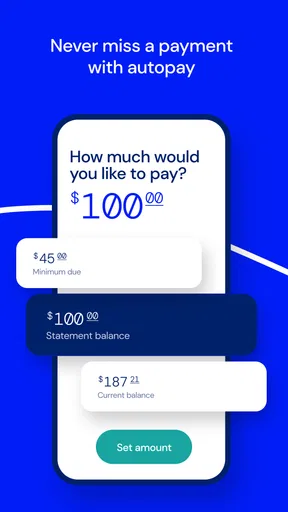
Yes, the app is intended to provide convenient access to BrightWay credit card payments. Depending on your account and the features currently supported, you may be able to schedule a one-time payment, manage payment accounts, and review payment history. Before confirming a payment, carefully check the amount, funding source, and due date to avoid delays or accidental missed payments.
Is BrightWay Credit Card Mobile safe to use?
The app is built to provide mobile access to your credit card account using account authentication and security protections. For the safest experience, download it only from the official Google Play Store or Apple App Store, keep your device and app updated, use a strong unique password, and avoid signing in over unsecured public Wi-Fi. Never share verification codes or login details with anyone.
What should I do if I cannot log in to BrightWay Credit Card Mobile?
If you are unable to sign in, first verify that your username, password, and internet connection are correct. Updating the app or restarting your device may also resolve temporary problems. Use the available password-recovery or account-help options rather than repeatedly entering incorrect information. If the issue continues, contact BrightWay customer support through an official channel for assistance with access or account verification.
Does BrightWay Credit Card Mobile charge a separate fee?
Downloading a credit card management app is generally free, but using BrightWay Credit Card Mobile does not automatically mean that every account service is free. Your card agreement may include interest, late-payment charges, cash-advance fees, foreign-transaction fees, or other costs unrelated to the app itself. Review the current terms and conditions, and remember that your mobile carrier may charge data fees.


